Many automotive ancillary units in Hosur sit between two very different operating worlds.
Customers expect schedule discipline, traceability, quality records, and fast answers. Inside the factory, production may still run through:
- customer schedules received by email
- a planning sheet in Excel
- handwritten job cards
- verbal machine allocation
- job-work challans in a separate register
- inspection reports filed by date
- invoices and accounts in Tally
Each tool works on its own. The problem appears when a customer asks:
Which material heat went into this dispatched lot, what inspections were performed, and where is the balance quantity against our schedule?
Answering should not require five people and half a day.
Small and mid-sized ancillary units do not always need an SAP-scale programme to solve this. They need one connected production record from customer demand to dispatch.
What Production Control Must Connect
For a machining, fabrication, moulding, rubber, casting, or component assembly unit, production tracking usually spans:
- customer schedule or sales order
- item revision, BOM, and routing
- material requirement and purchase
- heat, coil, batch, or lot identity
- production order and machine or work-centre plan
- stage-wise output, rejection, and rework
- subcontracted processes
- inspection and quality release
- finished-lot packing and dispatch
If any link lives outside the system, traceability becomes a manual exercise.
Start With the Customer Schedule
Automotive demand is not always a one-time sales order. A blanket order may be followed by monthly, weekly, or daily schedules.
For each line, track:
- customer and ship-to location
- customer part number and your internal item code
- drawing or revision
- required date
- schedule quantity
- quantity already dispatched
- open balance
- priority or call-off reference
The planner should see demand net of dispatches and available finished stock. Otherwise the same quantity can be planned twice after a schedule revision.
Preserve every schedule revision. Do not overwrite the previous file. The plan should show what changed, when it changed, and which production orders were affected.
Keep Part Revisions Under Control
An automotive component is not just an item code. The drawing, process plan, tooling, inspection standard, and packaging instruction may change by revision.
A controlled item master should link:
- customer part number
- internal part number
- active revision
- raw material specification
- BOM
- routing and operation sequence
- approved machines or work centres
- inspection plan
- packaging standard
When a revision changes, do not silently edit historical jobs. Create an effective revision so old production and dispatch records retain the specification used at that time.
This is the same principle as recipe versioning in food production: history must remain reproducible.
Convert Demand Into Production Orders
A production order turns the schedule into an executable job.
It should define:
- part and revision
- planned quantity and due date
- material requirement
- routing
- planned work centre or machine
- job-card or traveller identity
- required inspection points
- subcontracted operations
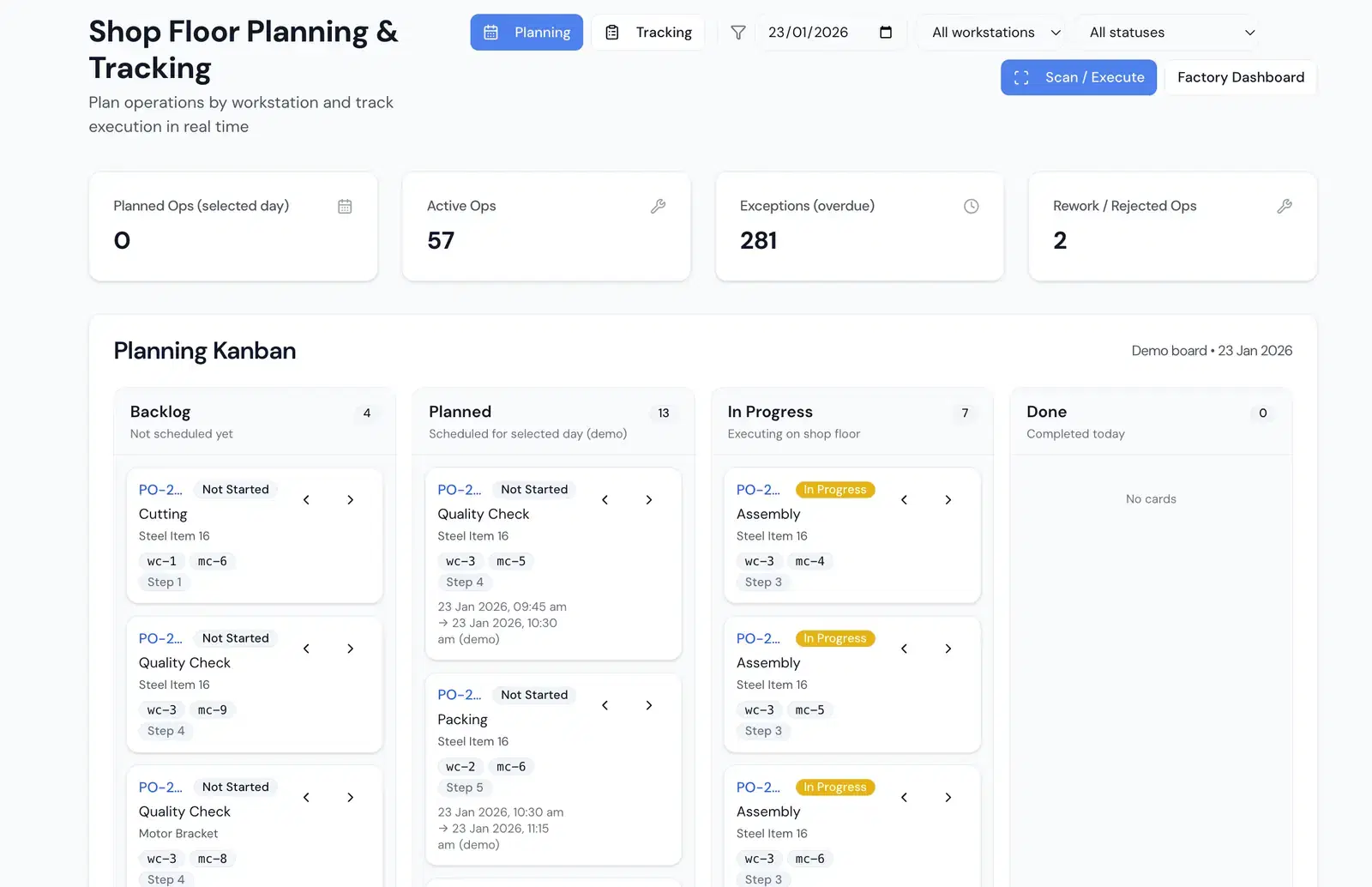
The plan does not need to imitate a complex enterprise screen. A simple daily board can show:
| Production order | Part | Operation | Planned | Completed | Rejected | Balance | Due |
|---|---|---|---|---|---|---|---|
| PO-1842 | Bracket A | CNC turning | 1,200 | 760 | 12 | 428 | Today |
| PO-1847 | Bush B | Grinding | 800 | 400 | 6 | 394 | Tomorrow |
The value comes from updating it with actual shop-floor transactions, not from building a perfect plan that nobody follows.
Preserve Material Heat and Batch Traceability
Traceability starts at GRN.
When raw material arrives, capture the supplier's heat, coil, or batch number along with:
- supplier and purchase order
- material grade and specification
- quantity and unit
- mill test certificate or inspection reference
- accepted, rejected, or quarantine status
- storage location
When material is issued, the production order records the actual heat or batch consumed. If material is split, cut, or moved, its identity should continue with the balance.
The finished component lot then links back to:
- material heat or batch
- production order
- machines and operations
- operators or shifts, where required
- inspection results
- subcontracted process records
From a customer complaint, the team can trace backward. From a material non-conformance, it can trace forward to affected finished lots and dispatches.
Record Shop-Floor Output at Each Important Stage
Waiting until final production completion hides delays and losses.
At each significant operation, capture:
- input quantity
- good output
- rejection
- rework quantity
- start and completion time
- machine or work centre
- downtime or exception reason, if relevant
- next stage
Operators should not have to type a report. A job-card scan followed by a few quantity and reason fields is enough for most events.
Schedule
Convert the latest customer requirement into dated, revision-controlled demand.
Plan
Create production orders with material, routing, work centre, and inspection requirements.
Execute
Record heat-wise issue, operation output, rejection, rework, and job-work movement.
Release and dispatch
Link inspection approval and finished lot to packing, invoice, and customer schedule balance.
Treat Rejection and Rework as Production Events
If the system only records good output, it presents a cleaner picture than the factory actually has.
For rejection, record:
- operation where it was detected
- reason
- quantity
- disposition: scrap, rework, use-as-is approval, or vendor return
- material and production lot
For rework, create a controlled route or task. Record the additional operation, quantity received, quantity recovered, and final inspection result.
This reveals:
- which operations produce the most rejection
- whether a machine or tool is driving defects
- whether a material heat correlates with problems
- the real cost and lead-time impact of rework
Track Subcontracting Inside the Same Job
Heat treatment, plating, grinding, coating, and other specialist processes may happen outside.
The job-work record should connect to the production order and show:
- process and approved vendor
- material or semi-finished lot sent
- quantity and weight
- challan
- dispatch and expected return date
- quantity returned
- rejection or shortage
- inspection status after return
- pending balance
Do not receive subcontracted goods as unrelated new stock. They must return to the same lot and operation chain, or the production history breaks.
The vendor view should answer: what is currently outside, for how long, and which customer schedule depends on it?
Put Quality Approval Before Dispatch Availability
Finished production and dispatchable stock are not the same.
Completed lots should move to a quality-hold state until the required inspection is approved. Depending on the component and customer, the record may include:
- incoming inspection
- first-piece approval
- in-process checks
- final inspection
- gauge or instrument reference
- dimensional report
- certificate or customer-specific document
The software should link these records; it does not decide the inspection plan. Your quality team and customer requirements define what must be checked.
Once released, the finished lot can be packed and allocated to the schedule. If rejected, it moves to a controlled disposition instead of appearing in available stock.
Connect Dispatch to Schedule Balance
Dispatch closes the operational loop.
For each shipment, link:
- customer schedule or sales-order line
- finished lot
- accepted quantity
- package, pallet, or container identity
- invoice and e-waybill reference as applicable
- dispatch date and vehicle details
The open schedule should reduce from actual dispatch, not from planned production.
This prevents a common reporting error: production appears complete, but some pieces are under quality hold, rework, or waiting for packing and therefore cannot satisfy the customer.
What Tally Can Continue to Do
Tally can remain the accounting and statutory ledger while a manufacturing system handles operational detail.
A sensible division is:
- Manufacturing system: schedules, BOM, routing, production, inventory lots, job work, quality, packing, and dispatch readiness
- Tally: books of accounts, vouchers, GST accounting, financial statements, and the accountant's workflow
Invoices, purchase transactions, and inventory or ledger summaries can be exchanged at agreed control points. This phased setup is often easier for an MSME team than replacing every system at once.
A 30-Day Pilot
Choose one customer or part family with regular demand.
Week 1: Masters
Clean item codes, revisions, BOMs, routings, vendors, machines, rejection reasons, and inspection plans.
Week 2: Demand and material
Load the current schedule, create production orders, receive or identify material lots, and issue them to jobs.
Week 3: Execution
Record important operation completions, job-work dispatch and receipt, rejection, rework, and inspections.
Week 4: Release and dispatch
Release finished lots, pack, dispatch against schedule, and perform one backward and forward traceability test.
Measure data completeness and planning usefulness before adding more part families.
Where FactoStack Fits
FactoStack gives automotive ancillary units one operational record across customer schedules, production orders, material lots, shop-floor job cards, subcontracting, quality, packing, and dispatch.
Production Tracking for Automotive Ancillaries
Track schedule balance, heat-wise material, stage output, job work, inspection, rework, finished lots, and dispatch without starting with an enterprise-scale ERP rollout.
Related Guides
- How to run MRP without an SAP budget
- Production order vs work order: what is the difference?
- How to track purchase orders, GRN, and vendor payments
- Rejection and rework on the shop floor
Frequently Asked Questions
The System Should Answer the Customer's Question
Production tracking is successful when the team can answer customer and factory questions from one record:
- What is due?
- What is running?
- What is outside at a vendor?
- What has passed inspection?
- Which heat went into this lot?
- What was packed and dispatched?
That level of control does not depend on buying the largest ERP. It depends on connecting demand, material, production, quality, and dispatch—and getting the team to record a few critical events consistently.

Written by
Sudharsan GS
Building FactoStack with Indian MSME manufacturers across inventory, production, dispatch, GST, and Tally workflows.