Quotation management
Quotation management software for manufacturers
What the current workaround hides
The issue is not the tool itself. It is what happens when the next team cannot see the update.
Quotes Scattered Across WhatsApp
Sales team sending informal quotes from personal phones. No record, no follow-up, no consistency.
Manual Price Calculations
Calculating material costs, margin, and taxes manually for every quote. Errors cost you money.
No Approval Workflow
Quotes go out without manager review. Discounts given freely. Margins eroded without visibility.
Lost Quote History
Can't find old quotes for repeat customers. Re-work from scratch every time. Hours wasted.
The connected FactoStack workflow
Each update stays attached to the operational record that caused it.
Professional Quote Templates
Brand-consistent templates with auto-calculated GST, margins, and line items. Send in under 2 minutes.
OCR Price Import
Photograph a price list or catalogue. OCR extracts items and prices automatically — no manual entry.
Approval Workflows
Set discount limits per user. Quotes above threshold auto-route to manager for approval.
WhatsApp Delivery
Send PDF quote directly via WhatsApp from the platform. Track opens and follow up at the right time.
Key Capabilities
The product records and controls available to the team.
Multi-source Quoting
Pull prices from inventory, BOM, or manual entry. Mix and match in one quote.
Real-time Profit Margins
See gross margin percentage as you add line items. Never quote below threshold.
OCR Price Import
Import prices from photos of catalogues or price lists using built-in OCR.
Quote Versioning
Track all revisions. Customer sees latest; you see full history with change log.
Approval Routing
Automatic approval workflows based on discount percentage or quote value.
WhatsApp & Email Delivery
Deliver quotes via WhatsApp, email, or PDF download. Track delivery status.
Quotation status pipeline
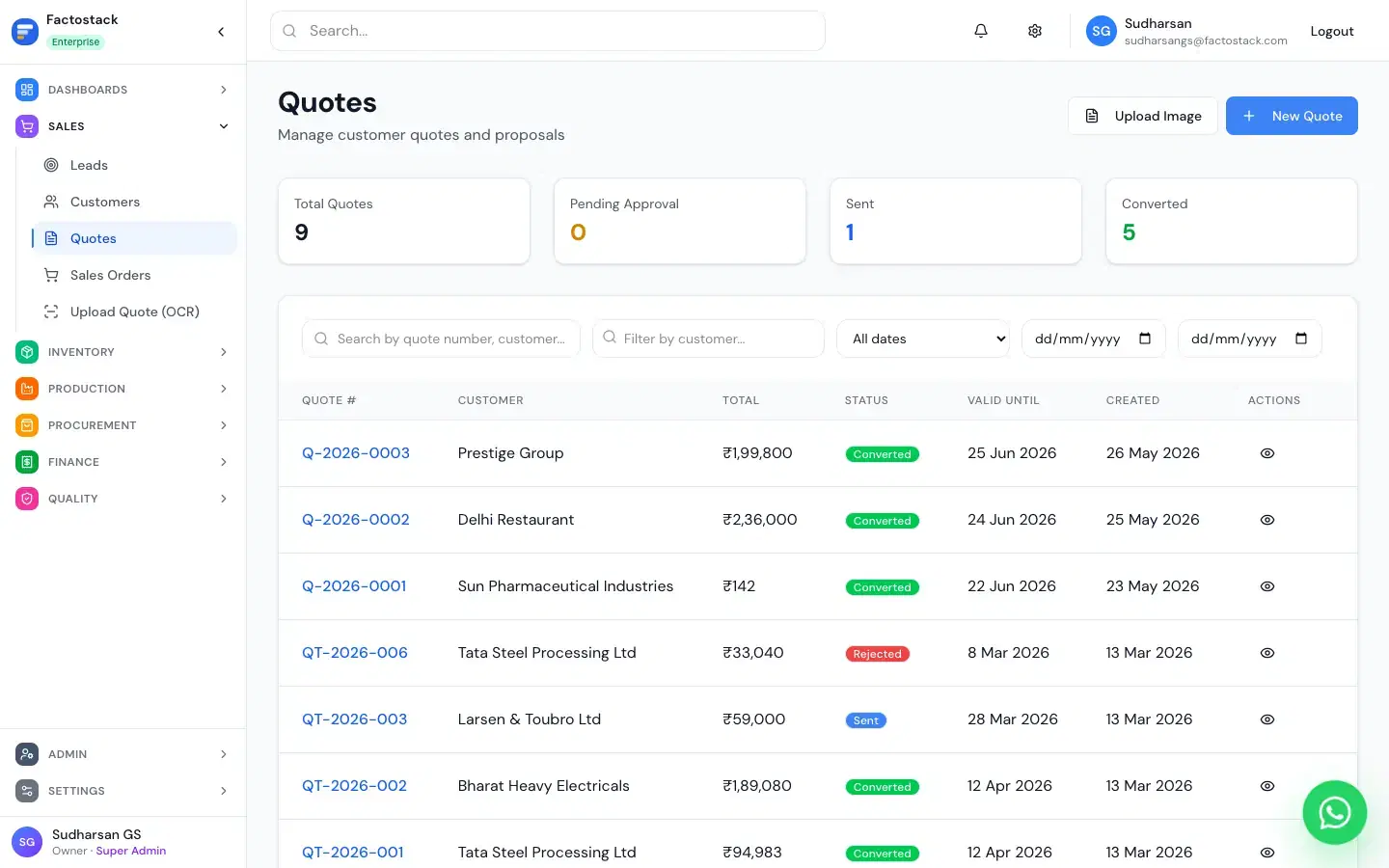
See every quotation as draft, sent, negotiating, won, or lost. Filter by rep, customer, or date.
Duplicate detection
A warning appears when the same customer already has an open quotation from another rep.
How It Works
How the record moves from one role to the next.
Select Customer
Pick from CRM or create a new customer in seconds
Add Line Items
Search inventory or enter custom items with prices pulled automatically
Review & Approve
Check margins, apply discounts within limits, route for approval if needed
Send & Track
Deliver via WhatsApp or email. Track when customer views the quote
How Quotation management Connects
How this module shares information with the rest of FactoStack.
CRM & Sales
Quotes attach to CRM leads. Convert directly to sales orders on acceptance.
Inventory
Prices pulled from current inventory cost. Out-of-stock items flagged automatically.
Invoicing
Accepted quotes convert to invoices with one click. No typing it twice.
Production
Quote for made-to-order items. Production order created on quote acceptance.
Excel vs FactoStack
| Feature | Excel / Manual | FactoStack |
|---|---|---|
| Quote creation time | 20-30 minutes | Under 2 minutes |
| Margin visibility | ❌ Manual calc | ✅ Real-time |
| Approval workflow | ❌ None | ✅ Automatic routing |
| WhatsApp delivery | ❌ Manual attach | ✅ One-click send |
| Quote history | ❌ Files lost | ✅ Full audit trail |
See It In Action
Real screens from the FactoStack platform.
Quote Builder
Add line items with automatic margin calculation
Quote Approval Flow
Route for approval based on discount thresholds
Included in Your Subscription
FACTORY OS includes quotation management and more
- Quotations, CRM & sales orders
- GST-compliant invoicing
- Items, stock & batches across locations
- Multi-level Bills of Materials & routings
- Shop floor tracking (QR job cards)
Frequently Asked Questions
Can I create quotes on mobile?
Yes. The quote builder is fully mobile-responsive. Create and send quotes from the shop floor or customer site.
Does it handle multi-currency quotes?
INR is the default. Export to international customers is supported with currency notes on the quote.
What is the approval workflow?
Set per-user discount limits. Any quote exceeding the limit requires manager approval before it can be sent. A manager can approve or reject several quotations in one pass.
What is a quotation management system?
It is the record of every quotation after it is created: who sent it, whether it is still open, who approved the discount, and whether it became a sales order. A one-off PDF is a GST quotation generator, not this pipeline.