Shop Floor Operations
Move handwritten job-card updates into the production trail
What the current workaround hides
The issue is not the tool itself. It is what happens when the next team cannot see the update.
No Visibility on Shop Floor
Don't know which machine is on which order. Constant walking and asking.
Paper Job Cards Get Lost
Job cards on paper. Hard to track. No real-time status.
Delays Discovered Late
Only find out about delays when customer calls. No early warning.
No Station-Wise Data
Can't see which station is bottleneck. No data for improvement.
The connected FactoStack workflow
Each update stays attached to the operational record that caused it.
QR Job Cards
Each job has a QR. Scan to start, update progress, complete. No paper, no lost cards.
Shop-floor WIP tracking
See quantity queued, in progress, completed, rejected, and ageing at every station, with the number kept in its recorded UOM.
Station-Wise Tracking
Track by machine or station. Identify bottlenecks. Improve throughput.
Early Delay Alerts
Know when a job is behind. Adjust before customer is affected.
Key Capabilities
The product records and controls available to the team.
QR Job Cards
Print or digital job cards. Scan to update status.
Station Board
Visual board by station. Queued, in progress, done.
WIP quantity and ageing
Track stage-wise quantity, time in stage, rejection, and completed output against the work order.
Shop Floor Reports
Station utilization, cycle time, delay analysis.
How It Works
How the record moves from one role to the next.
Release Job to Floor
Work order released. Job card (QR) generated.
Scan at Station
Worker scans QR at station. Job appears in queue.
Update Progress
Record quantity completed. Move to next station or complete.
Complete & Sync
Job completed. Inventory and order status update automatically.
How Shop Floor Operations Connects
How this module shares information with the rest of FactoStack.
Production
Work orders from production. Status flows back.
Inventory
Material consumption at station. Stock updates.
Orders
Order status reflects shop floor progress.
Quality
Quality checks can be at station. Rejections tracked.
Excel vs FactoStack
| Feature | Excel / Manual | FactoStack |
|---|---|---|
| Real-time job status | ❌ No | ✅ Yes |
| QR / digital job cards | ❌ Paper | ✅ Digital |
| Station-wise view | ❌ No | ✅ Yes |
| Delay visibility | ❌ Reactive | ✅ Proactive |
See It In Action
Real screens from the FactoStack platform.
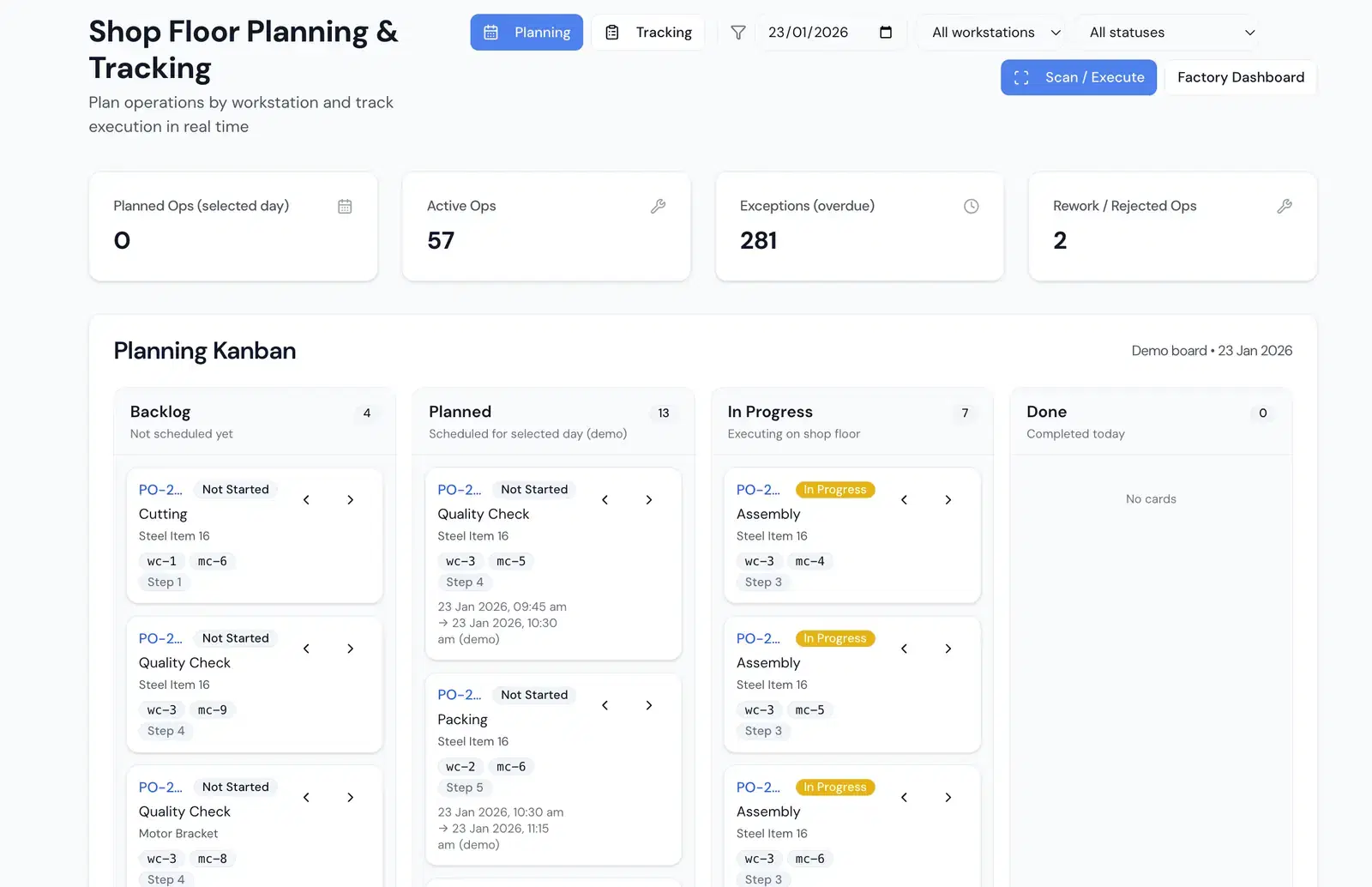
Shop Floor Planning
Plan and view jobs by station
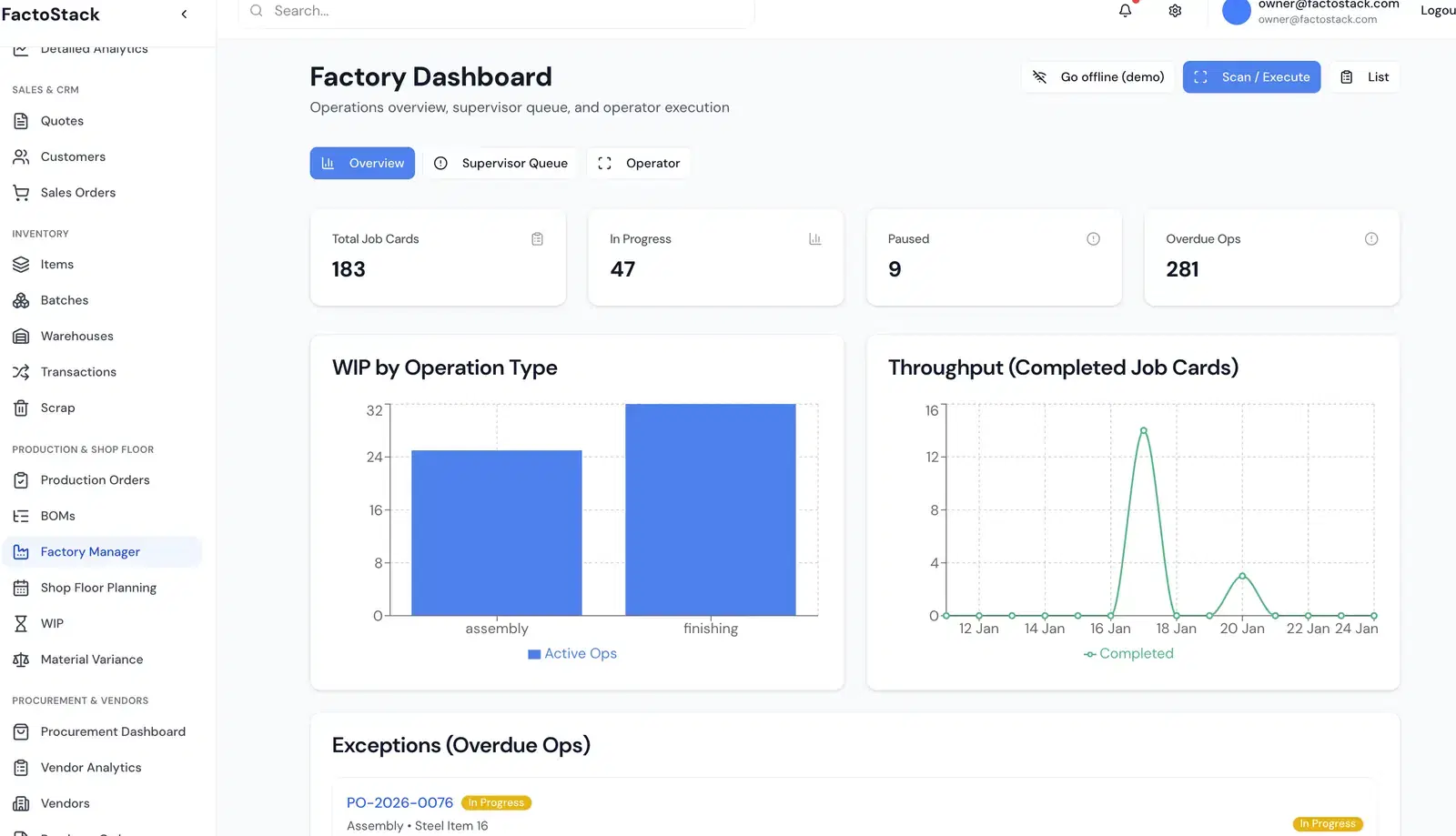
Job Card View
QR job card and progress
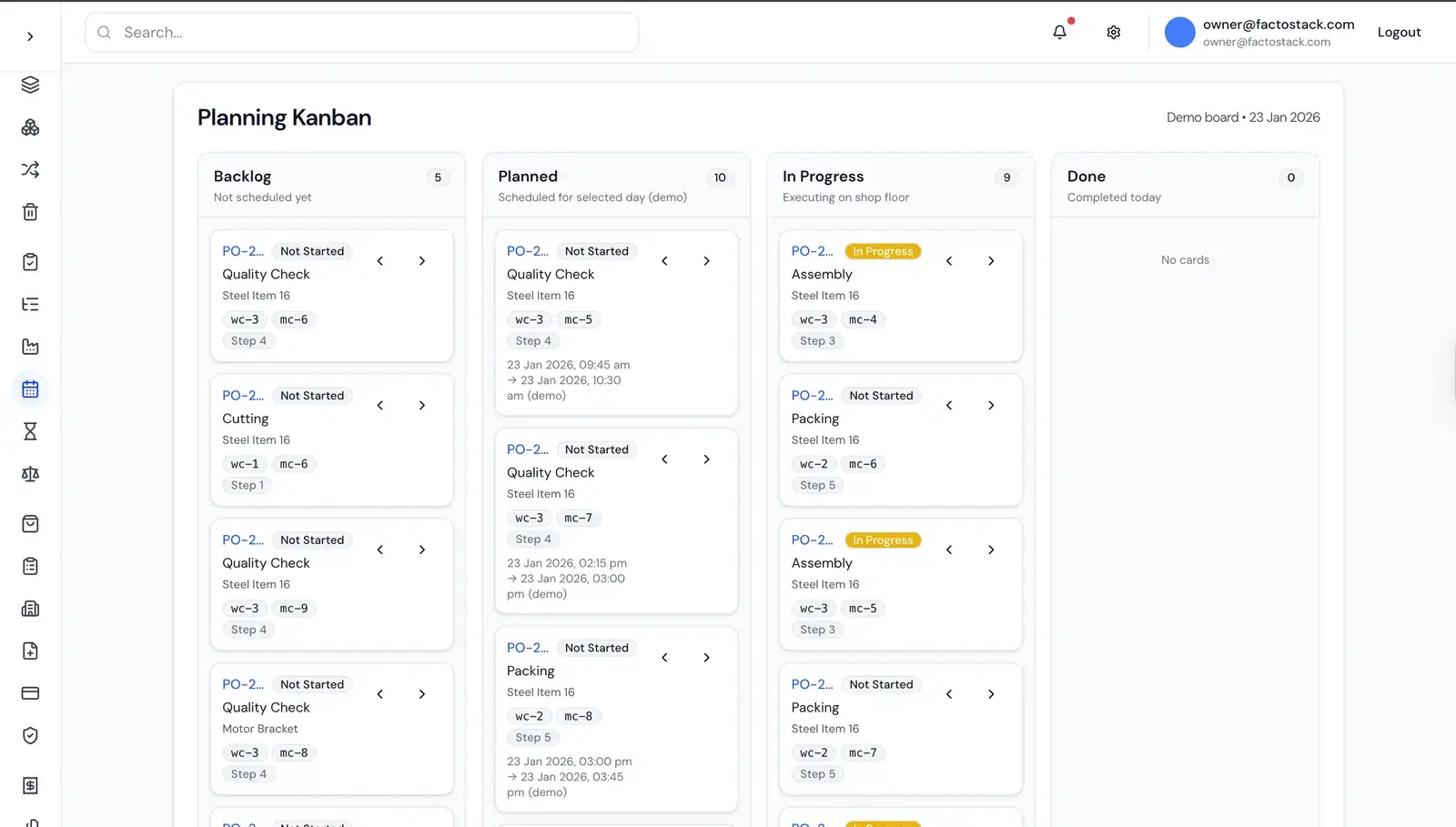
Station Board
Real-time view by station
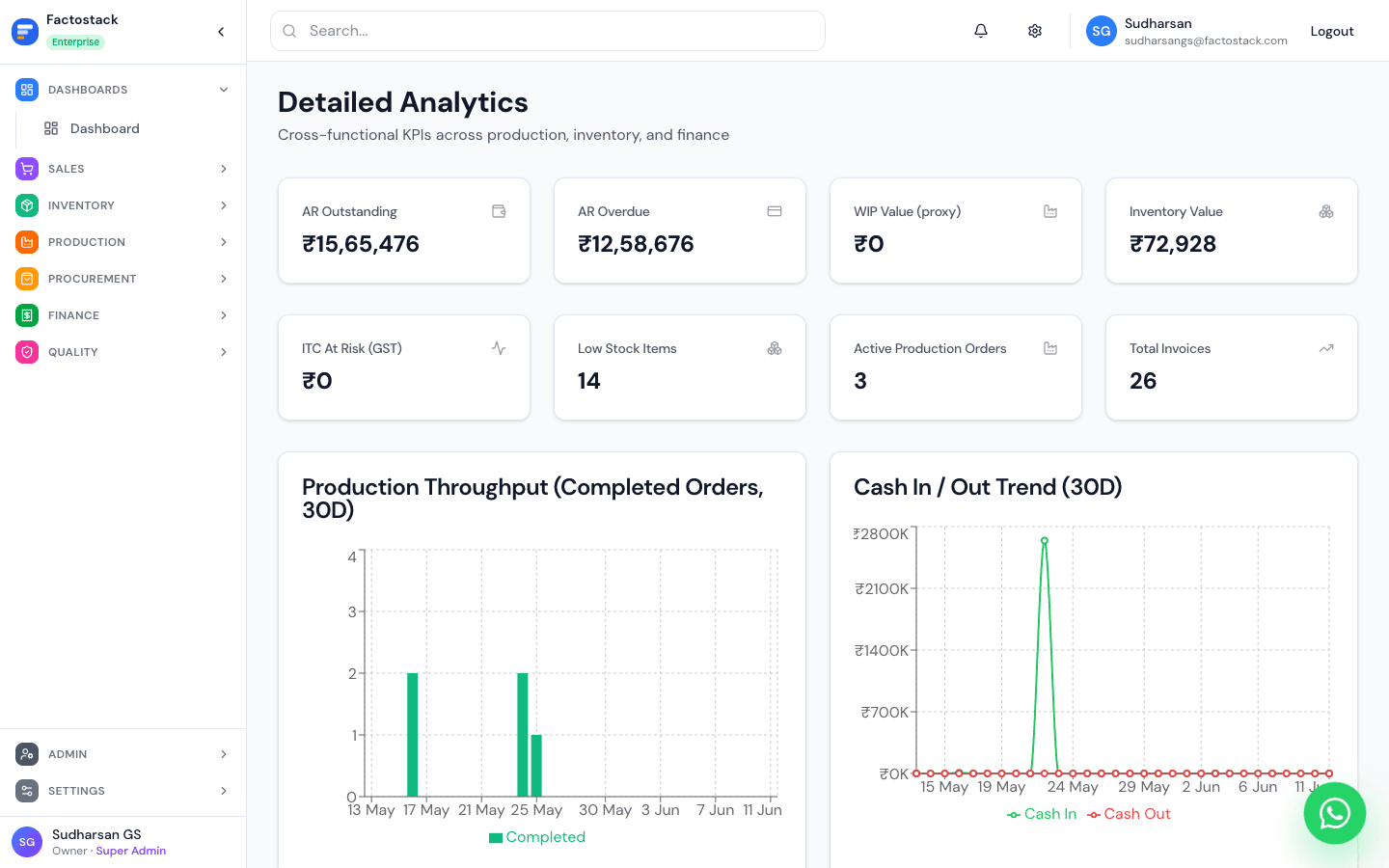
Reports
Utilization and cycle time
Included in Your Subscription
FACTORY OS includes shop floor operations and more
- Quotations, CRM & sales orders
- GST-compliant invoicing
- Items, stock & batches across locations
- Multi-level Bills of Materials & routings
- Shop floor tracking (QR job cards)
Frequently Asked Questions
Do I need smartphones on the shop floor?
QR can be scanned with any smartphone. Optional: use tablets at stations for a fixed board.
Is shop floor in Factory OS?
Yes. Factory OS (₹2,999/month) includes shop floor tracking and QR job cards.
Related features & resources
Shop Floor Planning Software
Plan daily schedules before jobs move to live tracking
Production Planning & MRP
Create production orders that feed shop floor jobs
Quality Management
Record inspections and rejections at each stage
Reporting
Production efficiency and output reports
Shop Floor WIP Tracking Guide
Set up stage-wise WIP quantities, ageing, and valuation